MrCool Error Codes and What to Do
By Wendell Asaro · Updated October 2026
Independent editorial guide. We never accept payment for coverage, though we may earn a commission if you purchase through our links.
Quick Take
Read the model number before you read the code. On a MrCool DIY 5th Gen (R-454B, model ending D25-O), DF, CL, FP, FC, AP and CP are normal displays, not faults. For a real code, MRCOOL's manual says to wait about 10 minutes, then disconnect the power, reconnect it and turn the unit on, and if the code comes back, disconnect the power and contact MRCOOL. Refrigerant codes are the exception: the manual says the leak detection system must stay powered except for service, so leave those on and call. That's the whole owner procedure. The codes point at boards, sensors, pressure switches and refrigerant, and none of those is an owner repair.
Two codes often have a harmless cause. EH C1 or EC C1 right after you spray-foamed the wall hole can be foam vapor tripping the leak sensor; MRCOOL's own support site says so and says to ventilate and let the foam cure. Keep the unit powered while you wait. PC 03 on a brand-new multi-zone install has turned out to be unopened valves for four owners; check your installation manual's valve step or call support. EL 0C, a leak code with no foam anywhere near it, and any code that survives a power cycle go to MRCOOL support with your model number and a photo of the display.
If yours is past saving and out of warranty, our picks start with the quick-connect 12K we'd buy to replace it. See picks ↓

A mini-split that throws a code is telling you which part of it gave up, in a language that changes from one generation to the next. EL 0C reads "System Lacks Refrigerant" on MrCool's current DIY 5th Gen and "Refrigerant leak detected" on the 4th Gen. P6 meant something else again on the older units, and MRCOOL's own manual and support page don't agree on what. Most bad advice about MrCool codes is right for a different unit.
We built this guide around the DIY 5th Gen, the MrCool we review, using the code tables printed in its owner's manual and its April 2026 service manual. Older DIY generations, Easy Pro and Olympus get their own section further down, kept apart on purpose. Everything we tell you to do is something the manual lets an owner do: watch the display, cycle the power at the breaker, check the filter and remote, look for ice or a blocked outdoor unit. The rest goes to MRCOOL or a technician, and we say which. If you're still choosing, our MrCool DIY 5th Gen review covers the unit itself.
Find your generation before you look up a code
Take the model number from the unit's rating label or your paperwork, then match it here. If you skip this step, you'll end up reading the right code from the wrong table.
- DIY 5th Gen. R-454B refrigerant, model numbers ending D25-O, such as DIY-12-HP-WMAH-115D25-O for the 12K wall unit. Codes look like EL 0C, EH C1 and PC 03. This is the main table below.
- 4th Gen DIY. R-410A, outdoor models ending C (DIY-12-HP-C-115C and up), titled "DIY E Star Series" in MRCOOL's manual. Same style of codes as the 5th Gen, with some different meanings. Some 5th Gen listings also say "E Star," so those words alone don't tell you the generation.
- 3rd Gen DIY. An older DIY E Star manual whose file name on MRCOOL's document site marks it as the 3rd Gen (the manual itself doesn't say), with outdoor models ending B. One letter and one digit: E1, P4, F2. A different table entirely.
- Easy Pro and Olympus. Model numbers starting EZPRO- and O-. Separate lines with their own service manuals.
- Universal and other ducted MrCool systems. No table here applies. Owners report codes such as H4 on those that don't appear in any DIY table.
If the code on your display isn't in your generation's table, don't borrow a meaning from another one. The 5th Gen manual adds that a garbled code, or one the service manual doesn't define, may be a temperature reading.
First steps for any code, straight from the manual
MrCool's DIY 5th Gen manual gives one procedure for flashing indicator lamps or an error code. The unit may stop or keep running safely. Wait about 10 minutes, because the problem may resolve itself. If it doesn't, disconnect the power, connect it again and turn the unit on. If the problem persists, disconnect the power and contact MRCOOL. The 4th Gen and 3rd Gen manuals give the same steps and end at a customer service center. The exception on the 5th Gen is a refrigerant code (EL 0C, EH C1, EH C2, EH C3, EC C1 or FH CC): the manual says the leak detection system needs the unit powered except for service, so skip the power cycle, leave it on and call.
Disconnecting the power means switching off the circuit breaker, then back on. Don't open either unit's covers to do it. When power comes back, the 5th Gen beeps to show it powered on normally; the manual says no beep may mean a problem, and to power off and on again and check the circuit, the display and the remote. After a power loss the unit restarts on its own with its previous settings. A code that appears after an outage, clears with one power cycle and stays gone isn't worth a service call.
While you wait out the 10 minutes, do the checks the manual's troubleshooting table lists for a unit that isn't working: power, remote batteries, the 3-minute restart delay and any timer. Clean the filter if it's due; the manual's interval is every two weeks, with the power off first. Outside, look for ice packed on the coil or snow and debris blocking the outdoor unit or its fan, and clear only loose snow and debris. Our mini-split not heating guide covers defrost and ice in detail.
Six displays aren't errors at all. The 5th Gen table lists DF (defrost), CL (Active Clean), FP (heating in room temperature under 46.4°F, 8°C), FC (forced cooling), AP (the wifi AP connection mode) and CP (remote switched off), and the service manual labels them a normal display, not an error code. CL ends on its own: the manual says Active Clean turns the unit off after 20 to 45 minutes.
DIY 5th Gen codes: what each means and what you can do
The meanings below are MRCOOL's words from the 5th Gen owner's manual table, which matches its service manual. For every code except the refrigerant codes, the manual's first step stands: wait 10 minutes, then cycle the power once. "Call" means MRCOOL support, or a technician MRCOOL directs you to.
Code | MRCOOL's meaning | What to do |
|---|---|---|
EL 0C | "System Lacks Refrigerant." | Leave the unit powered and call; don't cycle the power to clear it. Note whether heating or cooling had been getting weaker. The service manual's parts list for this code includes additional refrigerant, and adding refrigerant is technician work under EPA Section 608. MRCOOL's troubleshooting table answers low refrigerant from a leak with a technician who checks for leaks and re-seals if necessary before topping off. |
EH C1, EH C2 | "Refrigerant Sensor Detects Leakage." / "Refrigerant Sensor is Out of Range & Leakage is Detected." | The compressor stops and the indoor fan runs by design. Leave the unit powered, since the manual says its leak detection system needs power except for service. Put out any open flame, as the manual says to on a suspected leak, and air the room out. Any remote button silences the buzzer. If you just used spray foam near the lines, read the next section. Otherwise, call. |
EC C1 | "Other IDU Refrigerant Sensor Detects Leakage (Multi-Zone)." | Another head's sensor tripped. Treat it like EH C1 at that head. |
EH C3, FH CC | "Refrigerant Sensor is Out of Range." / "Refrigerant Sensor Error." | Leave the unit powered, since the leak detection system needs power except for service, and call. The manual says the sensor can't be repaired and is replaced only by the manufacturer, and gives it a 15-year service life. |
EL 01 | "IDU & ODU Communication Error." | The indoor unit can't talk to the outdoor unit. Cycle the power once. If it returns, call, or on a new paid install, call whoever wired it. The service manual diagnoses it with live voltage tests at the outdoor terminals, and its parts list is the indoor board, the outdoor board or a short-circuited component. |
EH 0B | "IDU Main Control Board & Display Board Communication Error." | Call. The service manual's parts list is the communication wire, the indoor board and the display board. |
PC 03 | "Pressure Protection (low or high pressure)." | The service manual says the outdoor pressure switch shuts the system off above 638 PSI or below 18.85 PSI. Check the filter and that the outdoor unit isn't blocked, then cycle the power. On a new multi-zone install, see the PC 03 section below. Call if it returns. MRCOOL's support page lists 5th Gen PC-03 as low pressure only; we go by the manuals. |
PC 0L | "Low Ambient Temperature Protection." | Nothing is broken if it's colder outside than the unit's heat range, which the manual lists as -13°F to 75°F; it says outside those ranges a protection may disable the unit. Use backup heat until it warms up. Call only if it shows in mild weather. |
PC 01 | "ODU Voltage Protection." | Cycle the power once. If it repeats, or your breaker trips, that's an electrician or a technician, not an owner job. |
PC 00, PC 02, PC 04 | "ODU IPM Module Protection," "Compressor Top (or IPM) Temperature Protection," "Inverter Compressor Drive Error." | Make sure the outdoor unit isn't buried or blocked, cycle the power once, then call. These are outdoor-board and compressor-drive faults, which are warranty parts. |
EH 60, EH 61, EC 52, EC 53, EC 54, EC 56 | Temperature sensor errors (T1, T2, T3, T4, TP, T2B) | The service manual says one failed sensor lets the unit keep running for emergency use while it shows the code; more than one stops it. Call for the part. |
EH 03, EC 07 | Indoor or outdoor fan speed out of control | Power it off and look, without opening anything, for ice, snow or debris stopping the outdoor fan. Then call. |
EH 00, EH 0A, EC 51, EH 02 | EEPROM and zero-crossing errors | Board faults. Cycle the power once, then call. |
---- | "IDUs Mode Conflict (Multi-Zone)." | Not a fault. The service manual says the heads can't cool and heat at the same time, and heating wins. Set every head to the same mode. |
Units with an auxiliary outdoor board can also show codes at the outdoor unit; the manual prints a separate table for them. Don't open the outdoor unit to read it; if MRCOOL support needs that code, let them or a technician get it. The manual's 7.7 table, which maps codes to replacement parts, is written for whoever does the repair.
EH C1 after spray foam: the false alarm owners keep hitting
The 5th Gen manual says to pack the wall hole with the neoprene in the box, or with spray foam if you prefer. MRCOOL's support site has an article on what happens next. It says the propellants in Great Stuff foam (isobutane, dimethyl ether and propane) can set off refrigerant leak detectors before the foam cures, and that the vapor can make the system show an error code, most commonly EH-C1.
We've seen this often enough to call it a known false alarm. Six owners describe a leak-sensor code right after foaming the wall hole, among them a 5th Gen two-zone and a 5th Gen 27K multi-zone whose heads showed EH-C1 and EC-C1 while the foam was going on. For three, it cleared on its own after about 1.5 hours, a couple of hours and about 15 hours of running; one switched off for a few minutes and back on, and the multi-zone owner needed a reset that MRCOOL support told them how to find. On a multi-zone, the code can stop the other head too. A Senville owner who left the breaker off all night still had the code in the morning, and cleared it by running the unit for an hour or two.
We'd do one thing differently from several of those owners, the Senville owner among them: they switched the power off first. The manual says the leak detection system needs the unit powered except for service, and the indoor fan running during an alarm is the design. Leave it on, open a window, put out any open flame, and let the foam cure; MRCOOL says to check the foam's SDS for its off-gassing time and to ventilate. MRCOOL's article explains that uncured foam vapor can set off the sensor and trigger the code, and it mentions a reset button on the control board. On the multi-zone owner's unit, that button sat inside the outdoor unit's electrical compartment. That's not owner territory: if the code hasn't cleared once the foam has cured and the room has aired out, call MRCOOL support and let them or a technician handle the reset.
If there was no foam, no solvent, nothing in the air to explain it, or the code won't clear, treat it as a real leak. The manual's warning symbol says the refrigerant is flammable and that a leak near an ignition source is a fire risk. Keep flames away, ventilate, and call MRCOOL. On your next install, use the supplied neoprene, or foam with the windows open.
PC 03 on a new multi-zone install
PC 03 is the code owners report most, ten of them, and every one who described their system had a multi-zone. On one DIY 27K multi-zone install that cooled but wouldn't heat, the owner found two king valves they hadn't opened. Opening them fixed it, and the same fix worked for three more owners.
The single-zone 5th Gen manual has a step of its own for opening the refrigerant valves and warns that if the king valves aren't fully opened, the system could malfunction and suffer damage. Multi-zone systems have their own install manual and valve layout. If you suspect the valves, follow your installation manual, or call MRCOOL support or a technician; we won't walk you through it here. Nothing else on the refrigerant side is owner work.
When the valves aren't it, the code points at the refrigerant circuit. A new 5th Gen 27K two-head system that threw PC 03 in its first test went to MRCOOL's tech support. On a 4th Gen three-zone, a technician's recharge didn't stop the code coming back. On a 4th Gen three-head system a year old, jumpering the pressure switch connector to clear PC03 and PC31 silenced the code but didn't bring back cooling. Don't bypass a pressure switch; it's there to protect the compressor. On the 4th Gen, the manual's PC 03 reads "Low pressure protection (for some models)." Take photos of the display and send them to MRCOOL. One owner says support asked for the outdoor board's code to tell high pressure from low.
No code doesn't mean nothing's wrong
A MrCool can lose capacity or ice up without ever showing a code: a 3rd Gen 12K freezing half its indoor coil, a shop unit blowing cool air that had iced over the summer before, two 2016 units both nearly empty, an outdoor unit running with a frosted line while the room got neither heat nor cooling. Only the 2016 units were confirmed low on refrigerant; two more owners suspected it. EL 0C exists on the 5th Gen, but the service manual says the unit infers it from compressor and operating parameters such as excessive exhaust temperature. It's an inference, not a gauge. A unit that loses capacity over weeks and ices its coil is leaking until a technician says otherwise. Shut it off and let the ice melt before anything else; our leaking mini-split guide covers the water that follows.
A blank display with no response is its own case, and it has two known causes. On a 3rd Gen 24K, the indoor board had failed, probably from a surge after a power outage; MRCOOL sent a new board, and the owner added a whole-panel surge protector. A 4th Gen 12K that never powered on turned out to be a breaker type that kept tripping, which the owner believes was a GFCI breaker. Both are electrical. Look at the breaker, and hire an electrician for anything past that.
The 5th Gen service manual also describes an engineer mode, entered from the remote, whose first code queries the stored error. The same mode holds advanced settings for capacity and running frequency, so we'd use it only with MRCOOL support walking you through it.
Older DIY generations, Easy Pro and Olympus
These lines get their own tables. Use the one for your unit and nothing else.
- 4th Gen DIY E Star. The display shows the code while the operation lamp flashes a counted series, and the timer lamp may light or flash. The meanings that differ from the 5th Gen: EL 0C reads "Refrigerant leak detected.", PC 03 reads "Low pressure protection (for some models).", and PC 02 adds high pressure protection on some models. Its table has no EH C refrigerant-sensor codes. The manual calls its codes for reference only, says not to attempt the repairs yourself, and says to turn off the unit and contact a qualified service technician.
- 3rd Gen DIY E Star. E1 is "Indoor / outdoor units communication error," EC is "Refrigerant leakage detection," P1 is "Over voltage or over low voltage protection," P4 is "Inverter compressor drive error," and P7 is "USB Smart Controller module not installed." F1 through F5 are outdoor sensor, memory and fan faults. P6 is the trap: the manual's table says "Discharge temp sensor," while MRCOOL's support page for generations 1-3 says "Too much or too little refrigerant." The same support page says multi-zone outdoor boards of those generations use P1 for high pressure and P2 for low pressure, which isn't what P1 means on the indoor display.
- Easy Pro. The R-454B Easy Pro service manual's indoor table matches the DIY 5th Gen code for code, so the table above applies. Its engineer-mode table lists both PH 90 and PH 91 as low temperature protection of the evaporator, where the DIY tables call PH 90 high temperature protection; we read that as a manual error. Its warranty is shorter: 3 years on parts and 5 on the compressor for the current EZPRO-...DE-O models, with line sets excluded.
- Olympus. The R-454B Olympus E-Star service manual prints only outdoor-side codes, among them EL 01 for the indoor-outdoor communication error, PC 0L for low ambient temperature protection and PC 30 and PC 31 for high and low system pressure. It has no indoor EH table, and we couldn't locate an R-410A Olympus manual, so check the manual for your model number.
On older MrCools, generation unstated, P6 has meant leaks for home-buyers: home-warranty techs said one unit's lines had leaked, and another needed a leaking refrigerant line replaced and recharged. A third unit showed P6 indoors and P2 on the outdoor board, and MRCOOL support asked for that outdoor code to tell high pressure from low. Communication codes turn up too, an intermittent EL 01 on a 12K and an E1 on another unit, with no fix posted for either. On either code, the manuals' answer is the same: power cycle, then MRCOOL or a technician.
Warranty and support: making the call
The DIY 5th Gen warranty runs 5 years on parts and 7 on the compressor with no registration required, and it lists the pre-charged line sets as covered parts. Labor isn't covered, nor are the costs of diagnosing. You or an HVAC technician have to perform any diagnostics MRCOOL directs, and MRCOOL may require written proof from a licensed or certified technician. Units moved from their original installation address are excluded, and the install manual says installing the line sets more than once, or disconnecting and reconnecting them at the outdoor unit, voids the warranty. Our MrCool Easy Pro review covers that line's shorter terms.
To open a claim, MRCOOL's warranty says to call (270) 366-0457, email support@mrcool.com or create a ticket on mrcool.com. The manual asks for a detailed description of the malfunction and your model number. We'd add the exact code, a photo of the display, when it started, and what you've already tried.
On DIY mini-splits, MRCOOL support mostly comes through: telling a 5th Gen owner where the reset button was, telling another how to read the outdoor board, sending a 3rd Gen owner a new indoor board, and sending a DIY buyer a replacement unit after a compressor code. One owner with a compressor-drive code calls their warranty experience horrible. MRCOOL's Universal ducted line is a different story, with owners describing support as slow or absent. Start with support anyway. It's the path that keeps the warranty working, and many local shops won't touch a DIY install.
When a code means it is time to replace it
A failed compressor or board out of warranty can cost more to fix than a new DIY unit, because the labor is all yours to pay for. If you're replacing a single-zone MrCool, we'd buy the MrCool DIY 5th Gen 12K: a 25 ft pre-charged line set, 8,400 BTU/h at 5°F per NEEP, and the 5-year parts, 7-year compressor warranty above, with line sets covered. Klimaire's DIY 5th Gen units make more heat in hard cold (the 12K holds a 6,680 BTU/h maximum at -13°F against the MrCool's 3,800), but Klimaire's warranty PDF wants a licensed technician's install invoice and excludes line sets, so a DIY claim is harder. If the old unit came up short every winter, our cold-climate mini-split guide sizes the replacement to your 5°F load.
The picks
Products we recommend for this guide.

MRCOOL DIY 5th Gen 12,000 BTU 115V Mini-Split
The replacement we would buy for a dead single-zone MrCool: a 25 ft pre-charged line set, 8,400 BTU/h at 5°F per NEEP, and 5 years parts, 7 compressor with line sets covered and owner installs allowed. Confirm the model ends D25-O.
Read our full review: we scored it 6.9/10
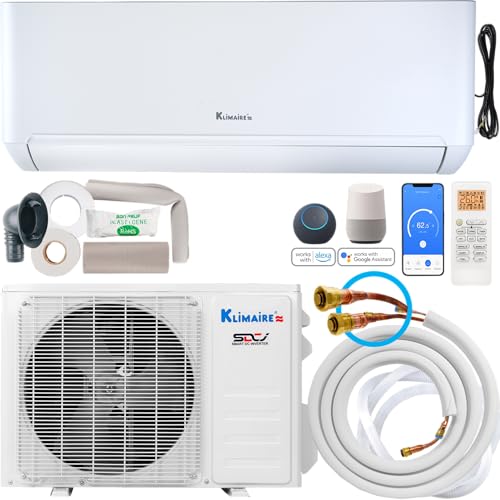

Klimaire DIY 18,000 BTU 23 SEER2 Quick Connect Mini-Split (230V)
If the old unit never kept up: 13,600 BTU/h at 5°F and a 9,000 max at -13°F per NEEP, on 230V with a 25 ft quick-connect line set. Klimaire's warranty excludes line sets and claims ask for a licensed installer's invoice; get terms in writing.
Read our full review: we scored it 6.7/10
What owners say
Real owner reports from the threads and editorial sources we drew on for this guide.
“Got a new gen 5 6k/6k MRCOOL 2 zone mini split (18k compressor). It worked great then I decided to spray foam the wall pass through, as the manual suggests. As soon as I did, I got a EH-C1 error code which means refrigerant leak detected.”
“I left the unit running for about 1.5 hours with the error. All units were just blowing air on auto and I could not control them whatsoever. After 1.5 hour the error disappeared and everything worked as normal.”
“On a multi zone system, the error will prevent the other head from operating as well. Left it on and it corrected itself in about 15 hours.”
“There were two valves above the outlets to the units called king valves that I had not noticed to open. After I opened them it worked fine.”
“MrCool DIY support is actually pretty responsive. When this happened a while back, they said "Inspect the Outdoor Board Error Code: there will be an error code on the outdoor board that indicates whether it's a high-pressure (P1 or PC30) or low-pressure issue (P2 or PC31). This code will help determine the next steps. (take photos of the board)"”
“Hey one of the refrigerant cables was leaking so I had to replace it and refill the refrigerant. It’s working perfectly fine now.”
“We used it a few times and it seemed to produce cool and warm air. But come winter it didn’t make any heat. I’ve turned off the breaker for more than 10 minutes. It will run for a little while, blowing seemingly room temp air, whether set to 62 or 86. Then go to this error code.”
“I got this mr cool 12k mini split it was work great but now every once and awhile I get a El 01 error”
“My 12K DIY 3rd gen unit is freezing (half of indoor coil and the liquid line outside, but not the condenser itself), but is not throwing any error codes.”
“Mine was slowly losing performance until it just didn’t work well at all. No codes or warnings though unfortunately.”
“Bad circuit board on the indoor head unit. Mr Cool sent a new one and it's working. Probably went bad due to a line surge after a power outage so I also installed a whole panel surge protector on the main panel.”
“good luck with that, I had a horrible experience with the warranty department wanting to help with any of it at all.”

